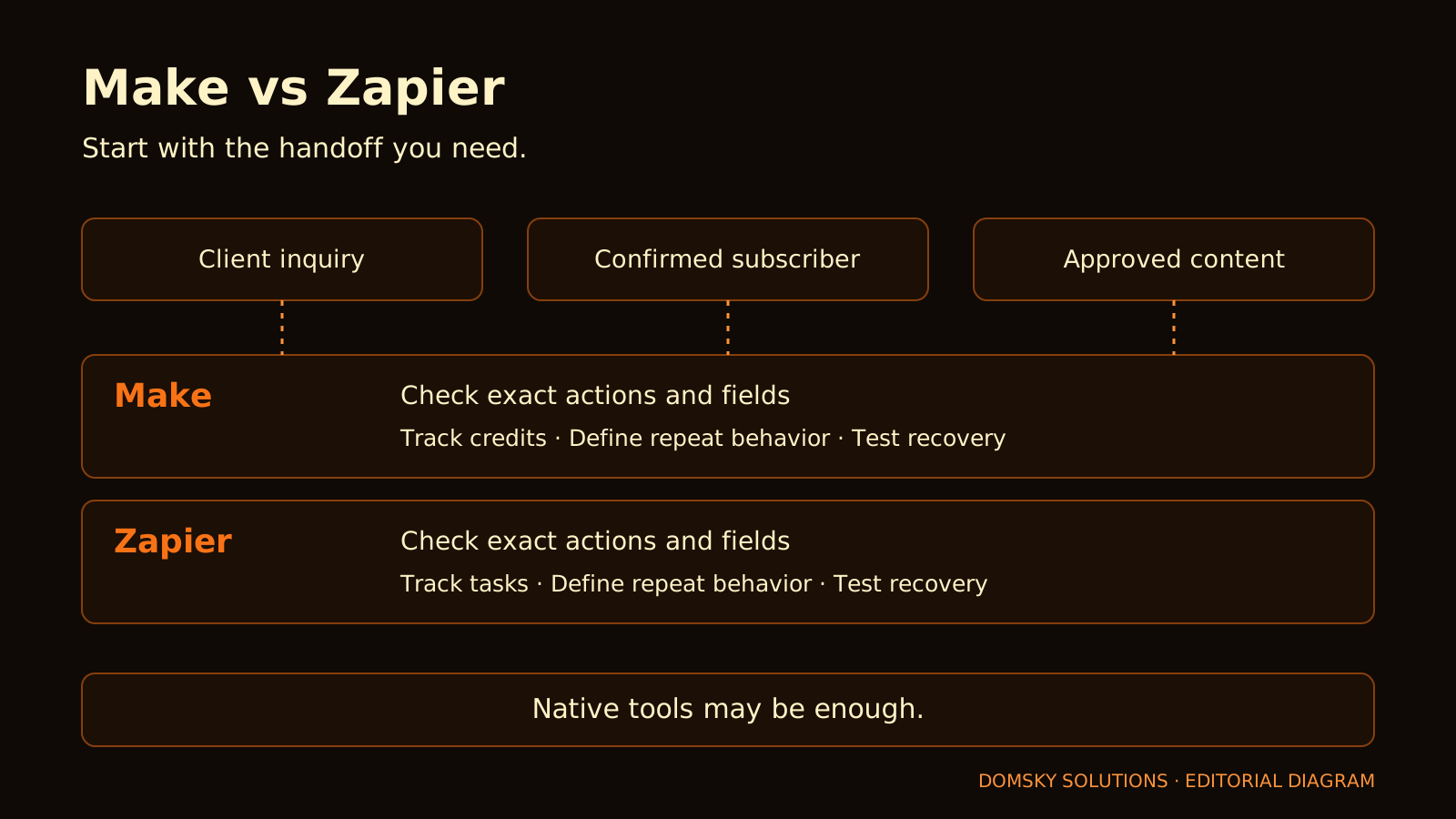
Copying an inquiry into a spreadsheet is manageable. Remembering to do it every time, checking the details and sending yourself a reminder can become a recurring distraction.
Make and Zapier are candidates for those repeated handoffs. The useful question is which one completes your work with a setup you understand and costs you can track.
Quick verdict: Trial Make if you want to organize a workflow visually and its required actions fit. Trial Zapier if its connectors or included Forms and Tables remove a specific gap in your existing setup. Keep a native integration or manual process when it already does the job reliably. Choose the lowest plan that completes one real workflow before expanding.
That is Domsky's fit-based recommendation, not a performance ranking.
Evidence note: Product facts below come from official documentation checked on 2 October 2026. Domsky has not run a controlled Make–Zapier test for this article. The three workflows are evaluation scenarios, not completed tests. Exact paid checkout prices and measured savings are not reported. Product and source links are direct, non-affiliate links.
Start with one repeated handoff
Write the job in one sentence: “When an inquiry arrives, record its details and notify me.”
Then check whether the form already stores submissions and sends a suitable notification. Adding an automation platform to reproduce those functions creates another account, connection and place to troubleshoot.
Use the lean solo-business stack guide to distinguish a current gap from a category you might eventually need.
An automation deserves a trial when:
- the handoff repeats often enough to matter;
- missing it creates a real delay or error;
- the input and expected output are defined; and
- your existing tools do not complete it sufficiently.
Begin with one workflow. “Your first three automations” describes three useful decisions to evaluate; it does not mean both free plans can run all three concurrently.
Compare the plan boundary before the headline price
The following are provider-documented differences, not Domsky usability findings.
| Decision factor | Make | Zapier |
|---|---|---|
| Free allowance | 1,000 credits per month | 100 tasks per month |
| Free workflow boundary | Check active-scenario limits and scheduling; Free lists a 15-minute minimum scheduled interval | Free lists two-step Zaps |
| First individual paid plan to evaluate | Core; Pro only for a required extra capability | Professional at the allowance tier your workflow needs |
| Useful paid boundary | Core adds unlimited active scenarios and minute-level scheduling | Professional adds multi-step Zaps, premium apps and webhooks |
| Included setup assistance | Maia, subject to beta access and usage terms | Copilot is listed in the plan offering |
| Other built-in tools | Check the specific storage and modules required | Forms and Tables are included with plan-specific limits |
Sources: Make pricing and Zapier pricing.
Neither free allowance represents a number of completed business jobs. A single job can involve several billed actions or module runs. Do not treat 1,000 credits as ten times the value of 100 tasks.
For a simple trigger plus one action, Zapier Free's two-step structure may be sufficient. A trigger that creates a record and sends a separate notification is a different requirement: check the multi-step plan boundary rather than assuming the free allowance is the only constraint.
For either platform, verify the exact connector, action, fields, schedule and current account entitlement. A product name in an integration catalog does not establish that every required operation is supported.
Credits, operations and tasks are different
Make describes an operation as a module run that processes or checks data. Several records can lead to several downstream runs. Its credits documentation distinguishes ordinary fixed usage from AI and other usage-dependent charges. Make operations · Make credits
Zapier documents tasks for successful actions and exemptions for listed built-in tools. AI and other product features can follow additional rates. Count the actual steps and their applicable rules. Task accounting · Task rates
Billing caveat: The Zapier help page excludes triggers from tasks, while the rates page groups standard trigger and action steps under one task per step. Because that wording conflicts, this article does not give an exact task total for the example workflows. Check current account usage or obtain provider clarification before relying on a cost estimate.
A useful cost record separates:
| Cost component | What to record |
|---|---|
| Subscription | Plan, allowance, currency and billing commitment |
| Runtime usage | Normal runs, checks, repeated records and replays |
| AI | Setup-assistant usage, runtime AI and separate API charges |
| Retained tools | Form, email, database or scheduler costs that continue |
| Setup and maintenance | Time spent correcting fields, reconnecting and recovering |
The software-stack audit helps compare recurring cash without pretending setup time is a subscription saving.
Three workflows worth evaluating
These examples are proposed tests. Connector availability and minimum plans must be verified for the exact tools you use.
1. Client inquiry: one record and one owner notification
The desired outcome is simple: capture the inquiry once and put it somewhere you will act on it.
| Question | What Make must prove | What Zapier must prove |
|---|---|---|
| Does it support your source? | Required event and fields are available | Required event and fields are available |
| Does the record arrive correctly? | Correct values and stable event ID | Correct values and stable event ID |
| Can it recover after notification failure? | Recover without recreating the record | Recover without recreating the record |
| Is another platform necessary? | Compare with the form's native storage and notification | Compare with native tools and any suitable built-in option |
Start with the platform that supports your actual source and destination. If both do, use a short trial to decide which configuration you can explain and maintain.
An external table can be useful when it supports a real reporting or client-delivery process. It can also duplicate records already held in your email platform.
Define the exact confirmation event and required fields. An unconfirmed signup must not be silently treated as a confirmed subscriber. Test updates and repeated events before trusting the handoff.
Read the Kit review and email-platform comparison for the separate email decision. An app-to-app connection does not automatically complete a valid welcome or consent workflow.
Keep this process inside the email platform when its records, tags or exports already cover the need. Trial an external platform only for the missing step.
3. Approved content: publishing task and reminder
The trigger should be approval, not the existence of a draft.
Require an asset ID, approved status, working draft link, chosen channel and due date. An unapproved asset should create no publishing task. Editing an approved asset should follow a defined update rule instead of creating another task each time.
The lean content workflow puts evidence and human approval before release. Automate a dependable handoff after approval; do not use automation to skip the editorial decision.
If your current tracker can already assign a task and reminder, keep that path until you can name its limitation.
Compare recovery, not just a successful run
Make documents incomplete-execution storage, which is disabled by default. Enabling it can retain eligible unfinished runs for supported recovery methods. Its full-run replay uses previous trigger data with the current scenario and can repeat modules that previously succeeded. Incomplete executions · Run replay
Zapier distinguishes replaying failed actions from replaying an entire run. Its documentation places automatic replay on paid plans and explains that full-run replay can repeat successful steps. Zapier replay
For either platform, deliberately fail the second action in a test workflow. Restore the connection and inspect what happens next. A recovery button is useful only when you understand whether it can resend a notification or create a duplicate record.
Use a stable event ID and define repeat behavior. Neither a retry setting nor a green success indicator proves that the complete business process is correct.
AI setup assistance has a separate cost
Make says Maia can create, modify and troubleshoot scenarios. Its beta documentation also describes usage that draws from the scenario credit pool after applicable temporary allowances. Check those terms before treating setup chat as unlimited free help. Maia documentation
AI assistance may help you describe a workflow. It does not prove that field mappings, consent status, duplicate handling or billing assumptions are right.
For a first inquiry or reminder workflow, get the deterministic version working before adding an AI classification or drafting step. Add AI only when the job needs judgment or text generation that simpler rules cannot adequately handle.
Which should you choose?
These are conditional Domsky recommendations based on documented capabilities, not measured setup-speed or reliability rankings.
| Your situation | Starting choice | Why |
|---|---|---|
| Existing native features complete the job | Keep them | Another platform adds no demonstrated coverage |
| You want to work visually through records and branches | Trial Make | Evaluate whether that workflow style suits you |
| A required Zapier action covers a gap the alternative does not | Trial Zapier | Exact integration fit outweighs headline allowances |
| Suitable Forms or Tables could remove another tool | Evaluate Zapier's included options | Confirm coverage before calling it a replacement |
| Both products support the same required outputs | Trial one bounded workflow | Choose the setup you can operate and recover |
| The work is rare or changes every week | Keep it manual for now | Premature automation can add maintenance |
| You already have a working automation | Keep it unless a limitation is measured | Migration needs a reason beyond a teaser price |
Before paying, run a normal event, a repeated event and a broken-connection recovery. Record actual usage and the first plan requirement the free version cannot satisfy.
Then use the stack audit calculator to count added recurring cash and any cost you can genuinely remove.
Common questions
Is Make always cheaper than Zapier?
This article does not establish that. The outcome depends on workflow design, included tools, usage, billing commitment and maintenance. Different billing units prevent a simple allowance comparison.
Can I use either without AI?
Both offer app workflows that can be evaluated without adding an AI step. Start with defined rules when they complete the job; AI is an optional requirement, not the reason every handoff needs automation.
Should I pay for both?
Only if each solves a separate, recurring problem that justifies its incremental cost. One platform is a more useful starting trial than two overlapping subscriptions.
Which is easier for a beginner?
Domsky has not measured that in a controlled trial. Use the same task in both and compare correction effort, clarity and your ability to recover a failed run. A preference for a visual workflow is not a universal ease-of-use verdict.
First check the email platform's own form, confirmation, delivery and welcome capabilities. Add cross-app automation for a defined handoff the existing system cannot adequately perform.
Sources and evidence limits
Official documentation: Make plans, credits, operations, incomplete executions, run replay, Maia; Zapier plans, task accounting, task rates, and replay.
Checked on 2 October 2026. Documentation establishes provider statements; account entitlements and actual behavior require verification. No original head-to-head timing, uptime, delivery, savings or workflow-cost test is reported. Plans, connectors, beta access and billing rules can change. The trigger-accounting discrepancy remains unresolved; exact workflow totals are intentionally omitted.
Continue reading
Related articles
A Lean Solo-Business Stack: What to Use, Keep and Skip
Three practical paths for choosing the smallest useful software stack without turning every category into a purchase.
GuidesAudit Your Software Stack: What to Keep, Cancel or Replace
A practical worksheet for mapping subscriptions to required jobs, testing replacement coverage and calculating recurring cash honestly.
WorkflowsA Lean Content Workflow: Turn One Researched Idea into an Article, Email and Social Post
A documented seven-step workflow for turning one verified idea into three useful formats without spreading unsupported claims.
ComparisonsKit vs MailerLite vs beehiiv: Choose for a Lead Magnet or a Newsletter Business
Choose an email platform by the subscriber journey it must complete, then compare free limits, automation boundaries and equal-size monthly prices.